
The market for AI documentation tools for therapists has grown fast enough that the hard part is no longer finding options — it's distinguishing meaningful differences between them.
Most tools claim HIPAA compliance, fast transcription, and multiple note formats. Most of them are telling the truth. The differences that actually matter for your practice are narrower and more specific than the marketing suggests.
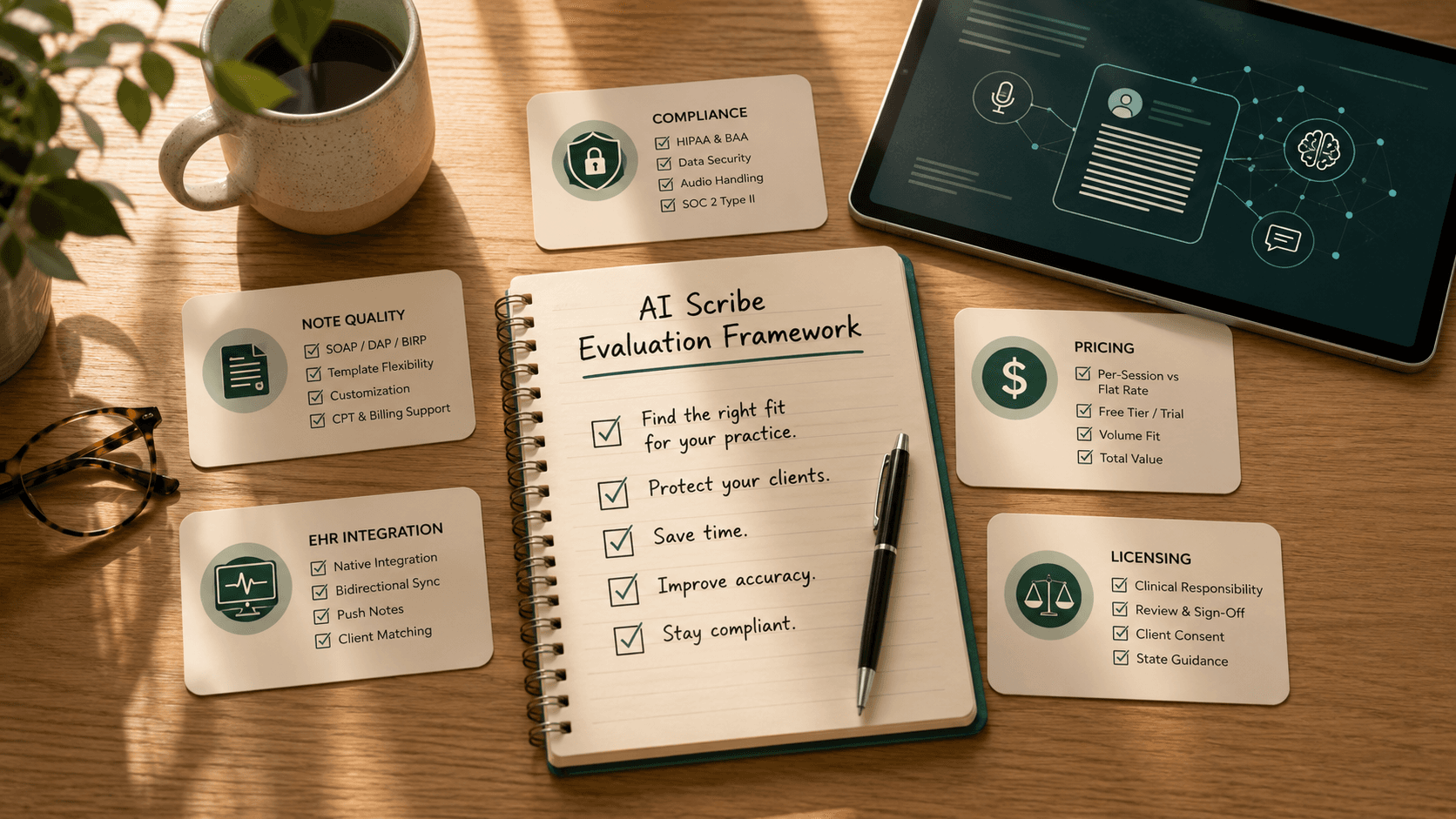
This is the framework we use when evaluating any AI scribe for therapists.
Step 1: Confirm compliance before evaluating anything else
HIPAA compliance is not a binary. It is a spectrum of implementation quality, and two tools can both claim compliance while being meaningfully different in risk profile.
The minimum requirements for a therapy practice:
Signed Business Associate Agreement (BAA). Every AI documentation tool that processes protected health information must offer a signed BAA. Some tools make this easy — it's included with any paid plan. Others require you to request it, bury it in enterprise tiers, or charge extra. If a tool won't provide a BAA in writing before you sign up, stop evaluating it.
Audio handling policy. Your session recording — the audio input that generates the note — is protected health information. Ask directly: is audio stored after processing? For how long? Where? The best tools (Mentalyc, Upheal, Heidi Health) delete audio immediately after transcription. Tools that retain audio for model training or quality improvement create compliance exposure.
SOC 2 Type II certification. SOC 2 Type I certifies that controls exist. Type II certifies that they work over time. For a tool processing clinical session data, Type II is the meaningful standard. Type I alone is not enough.
Don't take vendor claims at face value. Request the actual SOC 2 report or ask for the certification date and auditor. SOC 2 certifications expire and require annual renewal.
Step 2: Match note output to your documentation standard
This is where tools diverge most practically. The question isn't "does it generate SOAP notes?" — nearly all of them do. The question is whether the output matches your clinical voice and documentation standard.
Note format depth. A tool that supports SOAP, DAP, and BIRP covers most general practice needs. If you use EMDR, SFBT, DBT, or other modality-specific documentation structures, verify support explicitly. Heidi Health's template flexibility is the deepest in the category. Mentalyc covers the widest range of clinical modalities out of the box.
Customization. After your first twenty notes, you will want to adjust the output: change how the Assessment section is structured, modify the language register, add practice-specific fields. Tools that allow template customization save significant editing time. Tools with rigid output require more post-generation editing.
CPT code and billing assistance. If you bill insurance, some tools now compute suggested CPT codes from session content. This feature varies significantly in accuracy and is not yet a reliable substitute for clinical judgment — but it saves time on straightforward billing decisions.
Test with your actual sessions. Most tools offer free trials or free tiers. Run your three hardest session types through each tool you're evaluating: your most complex presentation, a session with significant emotional content, a session where the treatment plan is shifting. The gap between demo conditions and real clinical practice is where tools succeed or fail.
Step 3: Evaluate EHR integration realistically
Every AI scribe claims EHR integration. The reality is more specific.
The integrations that actually save time are bidirectional push integrations with your specific EHR — the tool receives the completed note and inserts it directly into the client record. The tools with the deepest native integrations (Mentalyc with SimplePractice, TherapyNotes, and Jane App; Upheal with SimplePractice) handle this automatically.
Everything else — Zapier connections, export-to-PDF, copy-paste — is a workaround that adds steps to your workflow rather than removing them.
Before signing up, verify:
- Does the tool have a native integration with your specific EHR? (Not Zapier. Native.)
- Does it push completed notes or only pull data?
- Does it sync to the correct client record, or do you have to match manually?
If your EHR doesn't have a native integration, a well-organized copy-paste flow is still significantly faster than writing from scratch — but don't pay a premium for an integration that won't work with your system.
Step 4: Calculate the real cost against your session volume
The pricing models in this category are genuinely different, and the right choice depends on your session volume.
Per-session pricing (Blueprint at $0.99/session) is cheapest below approximately 30 sessions per month. Above that, flat-rate plans are better value.
Flat-rate unlimited (Mentalyc at $49–$69/month, Upheal at $1/session capped at $69/month, AutoNotes at $14–$34/month) make sense for practitioners who see more than 30 clients monthly.
Free tiers (Heidi Health, Berries, Scribeberry) are genuinely useful at low volume — under 10 sessions monthly — and are worth using while you evaluate whether AI documentation fits your workflow before committing to a paid plan.
The calculation that matters: how many minutes of post-session documentation time does this tool save you per session? If you currently spend 15 minutes writing each note and the tool reduces that to 4 minutes of review and editing, you're saving 11 minutes per session. At 40 sessions a week, that's 7+ hours. The value of that time almost always exceeds the subscription cost.
Step 5: Verify your licensing obligations
State licensing boards are beginning to issue guidance on AI documentation tool use. The guidance is currently non-binding in most states, but it signals the direction of future requirements.
The responsible practice standard — regardless of whether your board has formalized it — is:
- Review every AI-generated note before signing. Not skim. Read.
- Document that you reviewed the note (some tools include a review timestamp).
- Correct anything that doesn't accurately reflect your clinical assessment.
- Use client consent language that mentions AI-assisted documentation if you record sessions.
Tools that generate notes without requiring the clinician to sign off are not inherently problematic, but they create a workflow where the default is to sign without reviewing. Be deliberate about which tools and which workflows reinforce clinical discipline versus those that erode it.
The short list for most therapists
For most solo practitioners starting their evaluation:
- Start with Heidi Health free if you want to test AI documentation with zero commitment.
- Evaluate Mentalyc if you have a complex caseload with multiple modalities and need the widest format flexibility.
- Evaluate Upheal if you want session analytics alongside documentation.
- Consider AutoNotes at higher session volumes (60+/month) for cost efficiency.
For full comparison details, read our best AI tools for therapists guide, or see our head-to-head Mentalyc vs Upheal comparison.