
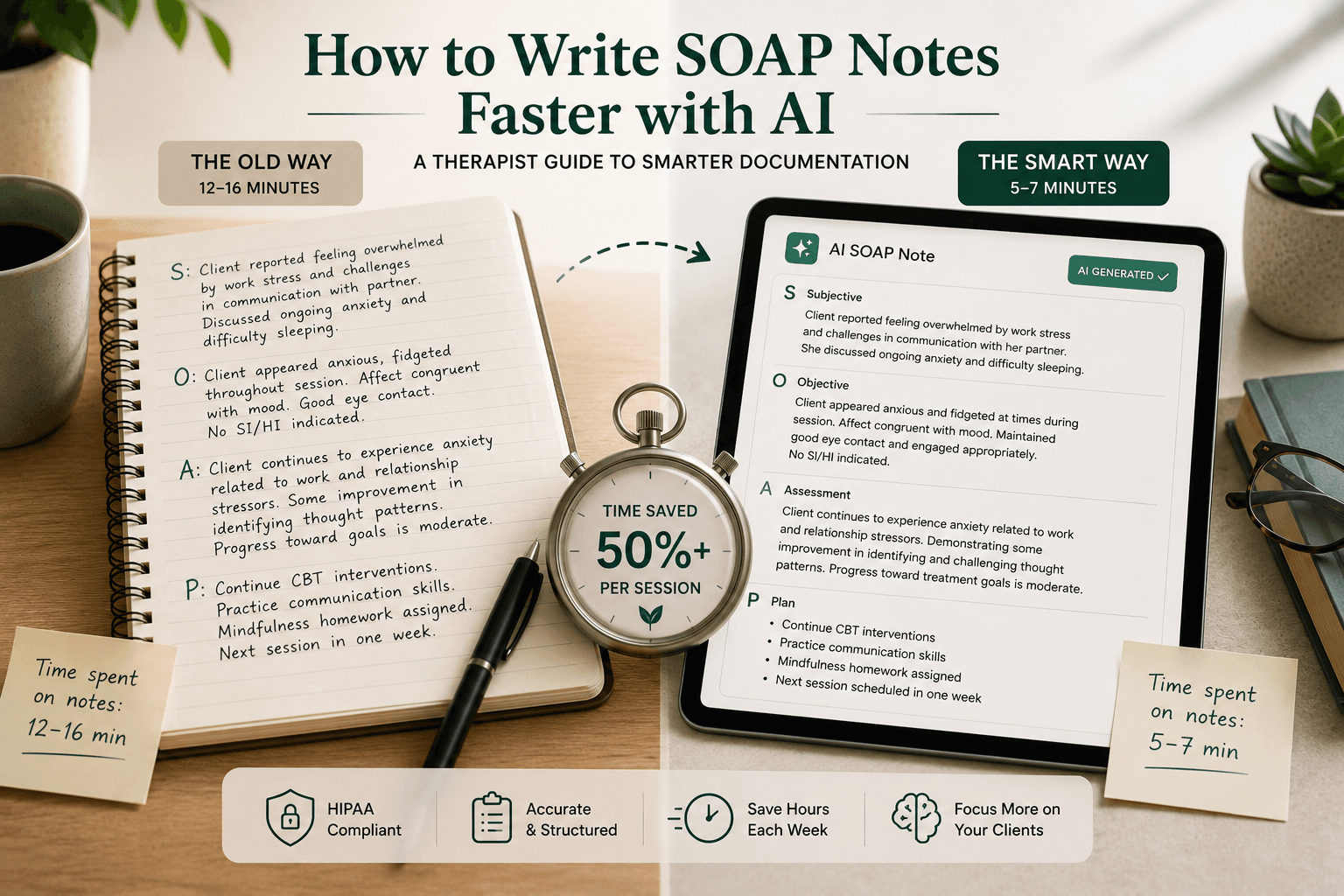
Every AI therapy note tool makes the same claim: cut documentation time by 50–75%. It sounds compelling — until you realize the fine print. The time savings only hold if the AI generates a note accurate enough that you spend less than 5 minutes editing it. For many therapists, that's not what happens.
The real problem isn't speed. It's fit. A SOAP note generator that works beautifully for CBT sessions produces borderline-useless output for an EMDR intensive. A tool trained on psychiatric intake notes struggles with play therapy sessions. When the AI doesn't understand how you practice, you spend more time correcting the note than you would have spent writing it from scratch.
This guide cuts through the speed marketing and focuses on what actually reduces documentation burden: format flexibility, modality-specific accuracy, and the features that eliminate editing friction rather than just generating faster first drafts.
Why SOAP notes take so long — and what AI actually fixes
The typical SOAP note for a 50-minute therapy session takes 12–16 minutes to write without any AI assistance. That's across four fields:
- Subjective: What the client reported — mood, presenting concerns, events since last session
- Objective: Clinical observations — affect, behavior, engagement, risk indicators
- Assessment: Your clinical interpretation — progress toward goals, diagnosis relevance, formulation updates
- Plan: Next steps — interventions planned, homework assigned, next appointment
The time cost isn't evenly distributed. Most therapists spend 60–70% of their documentation time on the Assessment and Plan sections — the parts that require genuine clinical judgment. The Subjective and Objective sections are largely factual recall, which is exactly what AI handles well.
What AI fixes: the recall burden. An AI that listened to or transcribed your session can reconstruct the factual content of Subjective and Objective far more accurately than you can 3 hours after the session. What AI doesn't fix: the Assessment and Plan sections still require your clinical thinking. The best tools give you an accurate draft of the factual sections and a structured starting point for Assessment and Plan — then get out of your way.
The mistake most therapists make when evaluating AI note tools
Most therapists evaluate AI note tools by testing them on a single session type — usually the modality they use most frequently — and assume the result generalizes.
It doesn't.
A therapist who sees clients for standard CBT, trauma-focused CBT, and occasional family sessions needs a tool that handles all three note formats with appropriate clinical language. A tool that generates excellent CBT SOAP notes may produce generic, clinically thin output for trauma-focused work — missing EMDR phase tracking, trauma processing indicators, or window of tolerance observations that belong in the Objective section.
Before committing to any AI note tool, test it across your actual session mix:
- A standard individual session in your primary modality
- A session with a high-acuity client (crisis indicators, risk documentation)
- A session that went significantly off the planned agenda
- Your most complex case type
The tools that hold up across all four are the ones worth paying for.
Which AI note tools actually handle SOAP format well
Mentalyc — best for modality diversity
Mentalyc supports more note formats than any other tool in the category: SOAP, DAP, BIRP, GIRP, PIRP, and PIE, plus modality-specific templates for EMDR, ABA, trauma-focused CBT, IFS, and play therapy. If you see clients across multiple treatment approaches, Mentalyc is the most likely to produce clinically appropriate output across your full caseload.
The Alliance Genie feature is unique: it tracks therapeutic alliance quality across sessions, not just note content. For therapists who want AI to help them monitor the clinical relationship — not just document it — this is the only tool in the category that does this.
Starting price: $29/month. HIPAA compliant with BAA available. See our full Mentalyc review.
Supanote AI — best for eliminating copy-paste friction
The biggest hidden time cost in AI note workflows isn't generation — it's the copy-paste step from the AI tool into your EHR. Supanote's Super Fill feature pushes the completed note directly into your EHR with one click, eliminating that step entirely.
Supanote also learns your clinical voice from session one, which means the editing burden decreases the more you use it. Therapists who have used it for 3+ months report that notes often require only light review rather than substantive editing.
HIPAA compliant with BAA. See our full Supanote AI review.
Blueprint — best for low-volume practices
Blueprint's pay-per-session model ($0.99/session) is the lowest-barrier entry point in the category. For therapists seeing fewer than 30 sessions per month, it's cheaper than any flat-rate subscription. The 600+ evidence-based intervention library is also unique — it helps therapists select and document specific interventions rather than using vague plan language like "continued to process."
Blueprint also includes a free EHR, which makes the combined cost significantly lower than paying separately for EHR and AI notes. See our full Blueprint review.
AutoNotes — best for high-volume practices
At 100+ sessions per month, AutoNotes' unlimited flat-rate plan becomes the most economical option in the category. The note continuity feature — where the AI uses previous session notes as context for the current note — is particularly valuable for long-term clients where progress documentation needs to reflect the arc of treatment, not just the most recent session.
See our full AutoNotes review.
The editing burden problem — and how to minimize it
Every AI-generated SOAP note requires review before signing. The question isn't whether you'll edit it — it's how much. Here's what drives editing burden up or down:
What increases editing time:
- Tool trained on generic medical notes, not therapy-specific language
- No modality-specific templates (produces one-size-fits-all output)
- Audio transcription errors that cascade into note errors
- Notes that include inappropriate clinical speculation in the Objective section
What reduces editing time:
- Tool that learns your specific clinical voice and terminology
- Modality-specific output that uses the right clinical language for your approach
- Accurate session transcription as the source material
- Direct EHR push that eliminates copy-paste formatting errors
The therapists who report the highest satisfaction with AI note tools are the ones who spent 2–4 weeks training the tool on their clinical voice before evaluating the ROI. Tools that personalize well produce notes that need 2–3 minute review. Tools that don't personalize produce notes that need 8–12 minute editing — and the ROI evaporates.
A practical workflow for AI-assisted SOAP notes
Here's the workflow that produces the best results based on how therapists who use these tools in practice actually use them:
During the session: Keep the AI tool running in transcription mode. Don't look at it — focus on the client. The AI is capturing the session content so you don't have to hold it in memory.
Immediately after the session: While the client is leaving, give the AI a 30-second verbal summary of the clinical highlights — key themes, interventions used, risk factors, plan changes. This becomes the seed for the Assessment and Plan sections.
Documentation window (5–8 minutes): Review the AI-generated Subjective and Objective sections for accuracy. Read but don't extensively edit the Assessment and Plan first draft — add your clinical judgment where the AI has been generic. Sign and push to EHR.
Weekly review: Spend 15 minutes reviewing your edited notes against the AI drafts. Where are you consistently correcting the same errors? Adjust your tool settings or feedback to the AI to reduce those corrections going forward.
This workflow is where the 50% time reduction actually comes from — not from faster generation, but from eliminating the blank-page problem and the post-session memory reconstruction.
HIPAA considerations before you start
Every AI note tool that processes session audio or transcripts is handling protected health information. Before using any AI documentation tool, verify:
BAA availability: The vendor must be willing to sign a Business Associate Agreement with you. Any HIPAA-compliant tool offers this; if a vendor won't sign a BAA, don't use their tool for session documentation.
Data retention policy: Understand how long the vendor retains your session audio and transcripts. Some retain audio for 30 days; others retain indefinitely. Know what you're agreeing to.
Training on your data: Verify whether the vendor uses your session data to train their AI models. Most HIPAA-compliant therapy tools do not; consumer AI tools often do.
State-specific requirements: Some states have stricter requirements than HIPAA for mental health records. Verify that the tool's data handling complies with your state's requirements, not just federal HIPAA.
All of the tools reviewed above — Mentalyc, Supanote AI, Blueprint, and AutoNotes — are HIPAA compliant with BAA available. Verify the specifics with each vendor before using them with client data.
Which tool is right for your practice?
Solo therapist, single modality, under 30 sessions/month: Blueprint's pay-per-session model is the most affordable entry point. Test it for a month before committing to a subscription anywhere.
Solo therapist, multiple modalities: Mentalyc's format diversity is worth the subscription cost. The modality-specific output quality difference is significant enough to justify the premium.
Group practice or 50+ sessions/month: AutoNotes' unlimited plan with note continuity is the most cost-effective at scale, and the session-to-session context improves documentation quality for long-term clients.
EHR integration is your top priority: Supanote's Super Fill one-click EHR push is the category leader for eliminating copy-paste friction. If your biggest frustration is the workflow between AI tool and EHR, Supanote solves it more directly than any other option.
For a full comparison of all reviewed AI tools for therapists — including pricing, compliance, and feature breakdowns — see our best AI tools for therapists guide.